My impact
Post-launch analytics validated our design decisions and reflected a 37% increase in user engagement amongst our beta users. If given more time, I would seek to iterate and improve upon the updated design based on the feedback we received and user behavior observed.
This was an extremely memorable internship experience and I feel so grateful to have worked alongside so many talented early-career designers, engineers and developers as well as the founder Bryan himself. Our daily sync's, feedback sessions and collaboration efforts made this launch so successful.
Context
Treevah is an early-stage startup founded by Bryan Mulcrone to eliminate digital friction and bring calm to chaotic file systems. Born from the founder's frustration with traditional file management while writing his thesis, Treevah reimagines digital organization through a unique "multi-folder view" interface that treats folders like filters.
The target users—solo founders, job seekers, and creatives managing hundreds of files daily—needed a solution. Treevah was in private beta, preparing for Fall 2025 public launch. During my internship, the company faced a critical transition: evolving from a functional prototype to a scalable, user-centric product ready for public beta testing.
The gap
The challenge: How do we reduce friction in organizing and retrieving files to make file management intuitive?
The Alpha Feedback Report delivered a wake-up call. Out of 27 testers, nearly half reported significant delays and lack of feedback for core actions like uploading or moving files. Users weren't just annoyed—they were unsure if their work was even being saved.
Key challenges emerged. Ambiguous system status left users wondering if actions succeeded or failed. Navigation disorientation made nested folders cluttered and confusing. Broken workflows meant refreshing the page wiped user state, forcing them to start over.
Discovery
I began with a comprehensive UX audit of the Treevah platform to identify opportunities and understand product architecture as a new team member. This expert review cataloged potential usability issues and heuristic violations, providing a baseline to cross-reference with incoming user data.
We conducted rigorous qualitative analysis of feedback from 27 Alpha testers. The data revealed a high-friction environment. Users explicitly mentioned feeling "lost" with too many folders open and frustrated by absent confirmation messages.
Quantitative analysis showed a system usability score of 3.8 for file selection—tasks were possible but far from intuitive. The critical insight: correlation between system response issues and user confidence. When the app didn't react instantly, users assumed it was broken.
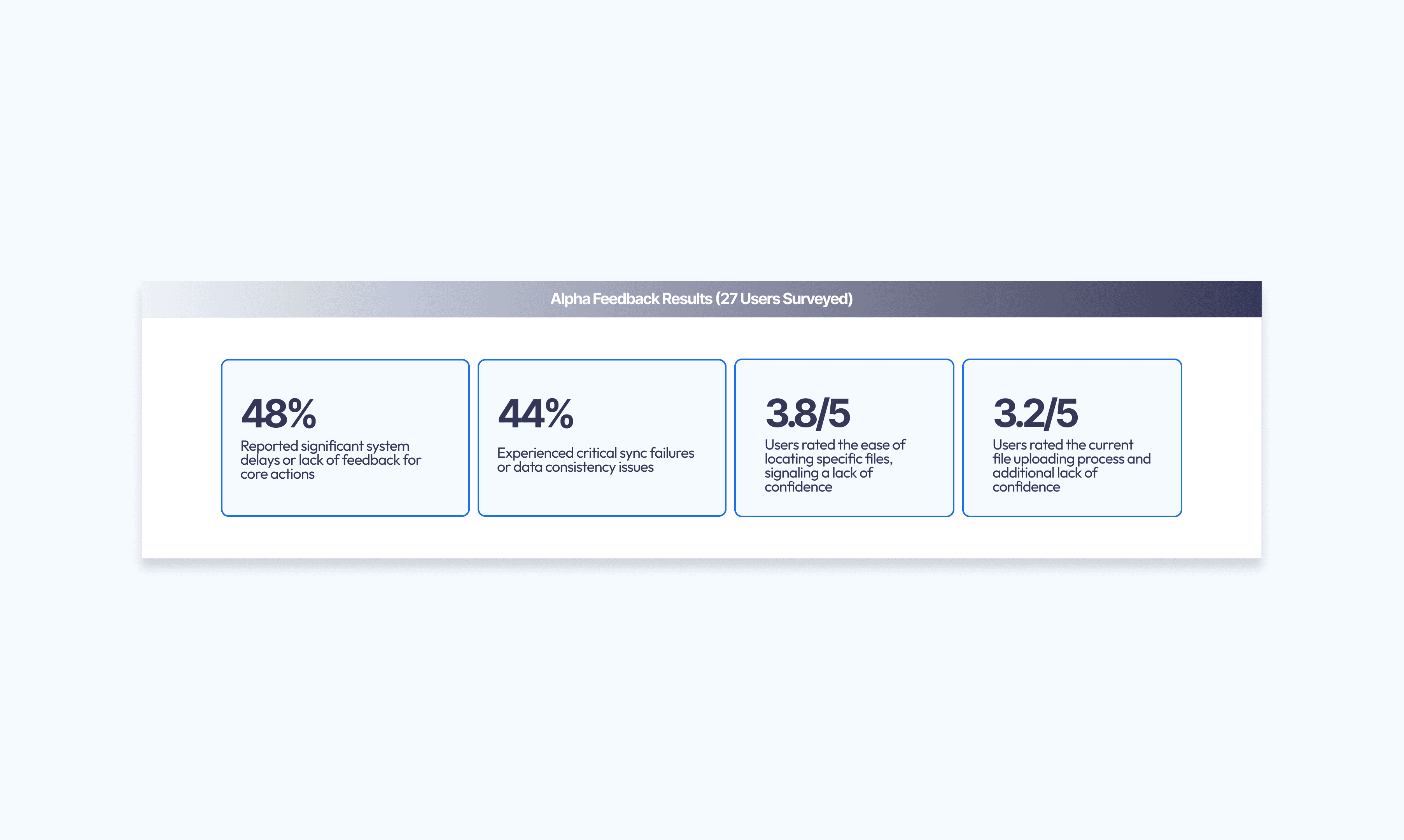
Key Metrics:
48% (13/27 testers) reported significant system delays or lack of feedback for core actions
44% (12/27 testers) experienced critical sync failures or data consistency issues
Core Friction Points: System response created uncertainty about action success due to lack of immediate feedback. Hierarchy confusion cluttered folder views, making directories difficult to distinguish. State loss from refreshing reset users to the Home page, closing all active work. File compatibility limitations frustrated users attempting uploads.
The Usability Gap: While passive navigation scored 4.5/5, active tasks showed sharp confidence drops—file selection at 3.8/5, uploading at 3.2/5.
Observed Behavior: User session analysis revealed a "validation loop." Users selected documents, opened previews, closed previews unsure of content, opened full documents to verify, then repeated the cycle over five times in two minutes. Users didn't trust the preview, forcing repeated verification.
Market Sentiment: 78% expressed switching intent—willing to leave current tools for Treevah. Yet 59% demonstrated low value perception—unwilling to pay in the current state. High potential interest existed, but usability friction killed perceived value.
Exploration
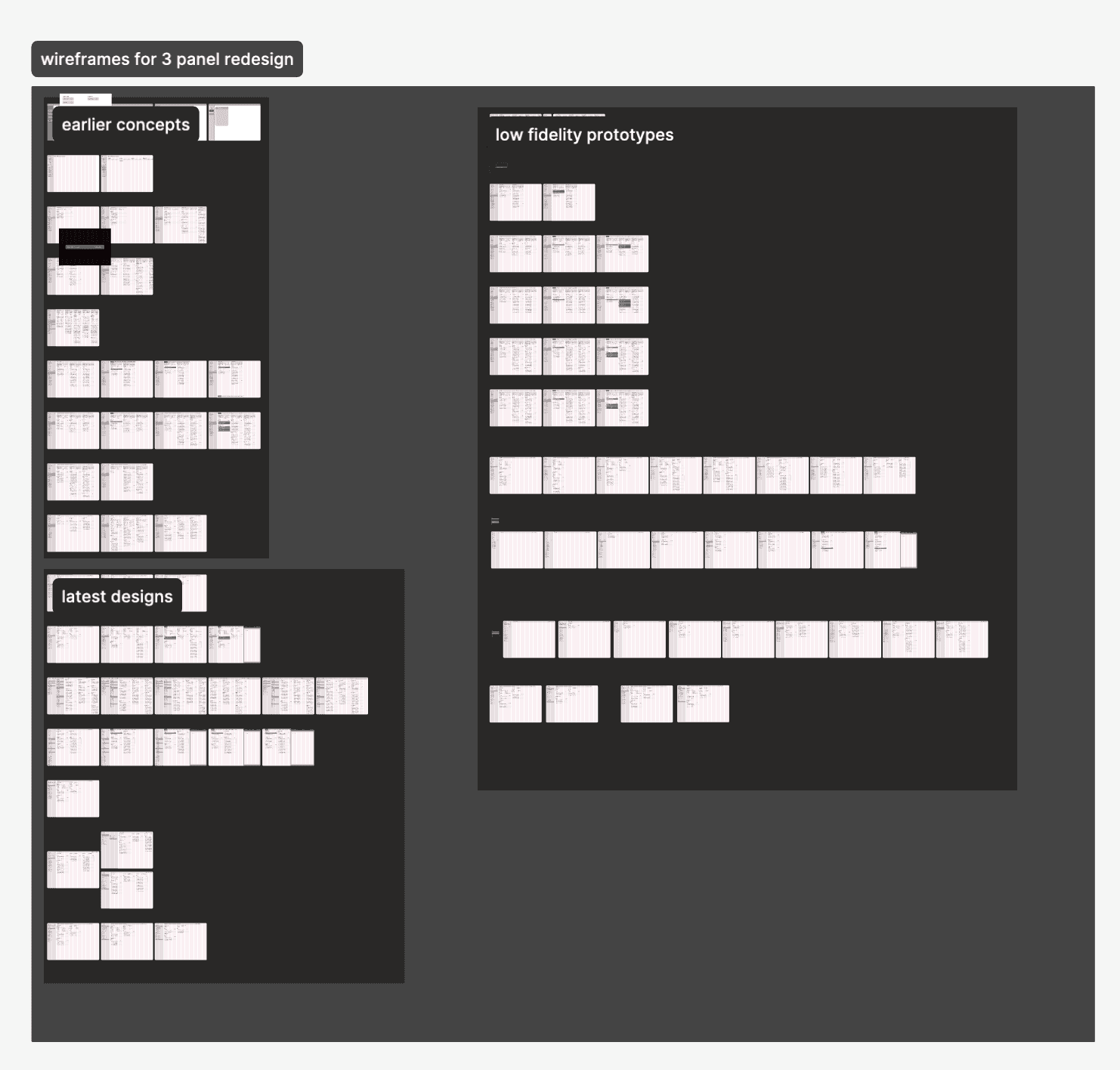
Phase 1: Low-Fi – Bringing Order to Chaos
We stripped away visual noise to focus purely on hierarchy. The goal: solve the "lost in the woods" feeling users reported. We explored multiple pane configurations to establish structure making parent-child folder relationships instantly obvious without overwhelming the screen.
Crucial insight emerged around progress feedback mechanisms.
Phase 2: Feedback Systems – Closing the Trust Gap
"Is it uploading? Did it freeze?" These were the most common user testing questions.
To rebuild trust, we obsessively iterated on upload states. We evolved from generic spinners to detailed, transparent progress bars communicating exactly what was happening—success, failure, or delay—in real-time.
Phase 3: High-Fi – The Clarity of Columns
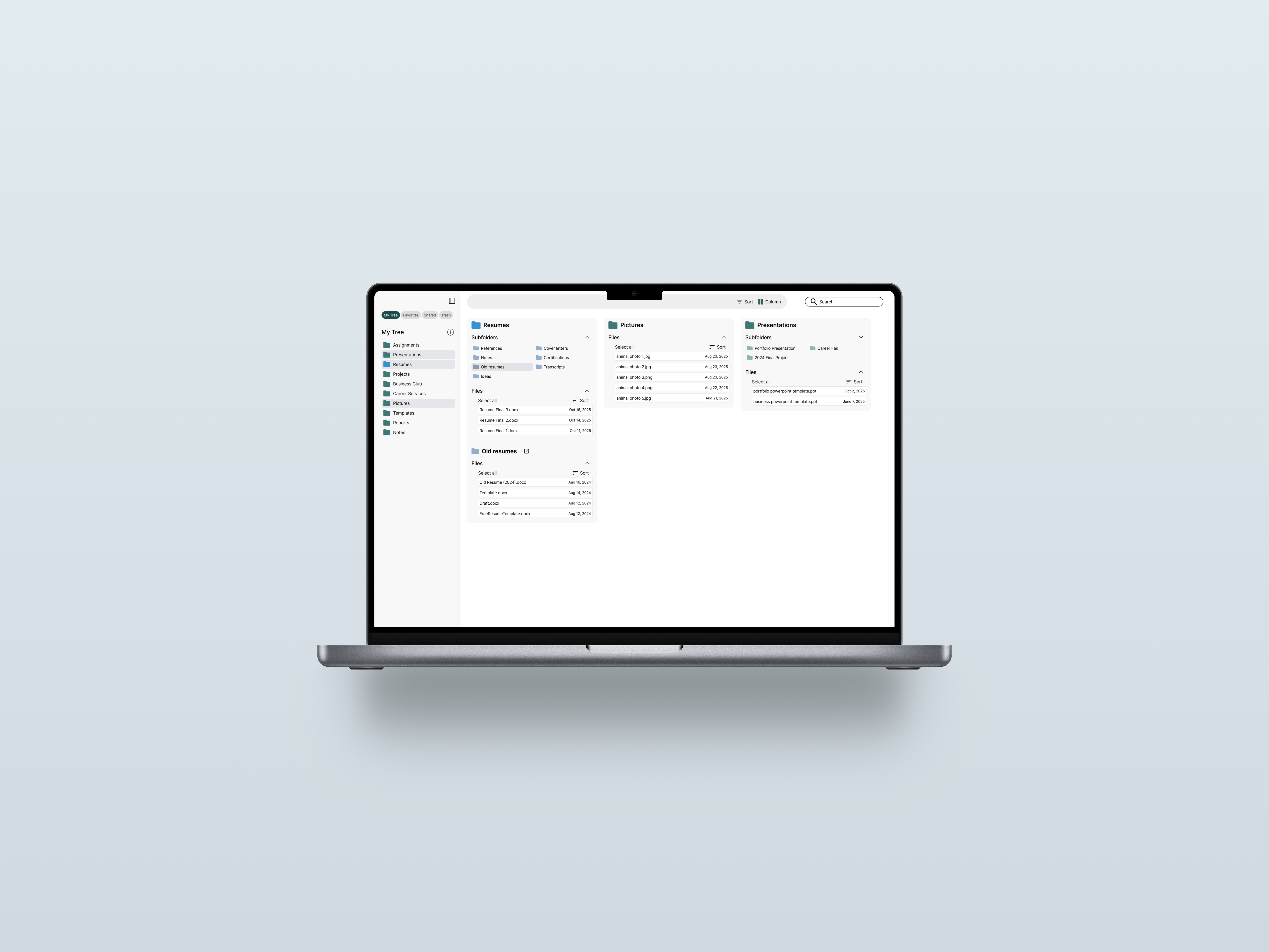
Moving to higher fidelity, we adopted a column-based layout (Miller Columns) inspired by Finder. This enabled users to traverse deep directory structures without losing context. We paired this with a contextual action bar revealing only relevant options, drastically reducing cognitive load.
Proposed redesign
We pivoted to a "Stability First, Features Second" approach. We stripped away complex, underperforming features to focus on the refined user flow of file management.
Three Core Improvements:
Instant feedback loops through optimistic UI updates—users saw immediate reactions to clicks while the backend processed requests. State persistence via re-engineered session handling—users could refresh without losing their place in folder hierarchy. Simplified hierarchy through redesigned folder views—reduced visual clutter with clear breadcrumbs and distinct visual indicators for active directories.
The 3-Panel Redesign:
To solve navigation disorientation, I introduced a 3-panel layout reminiscent of macOS Finder. This gives users constant context. By flattening hierarchy into visible columns, users can always see where they came from and where they're going.
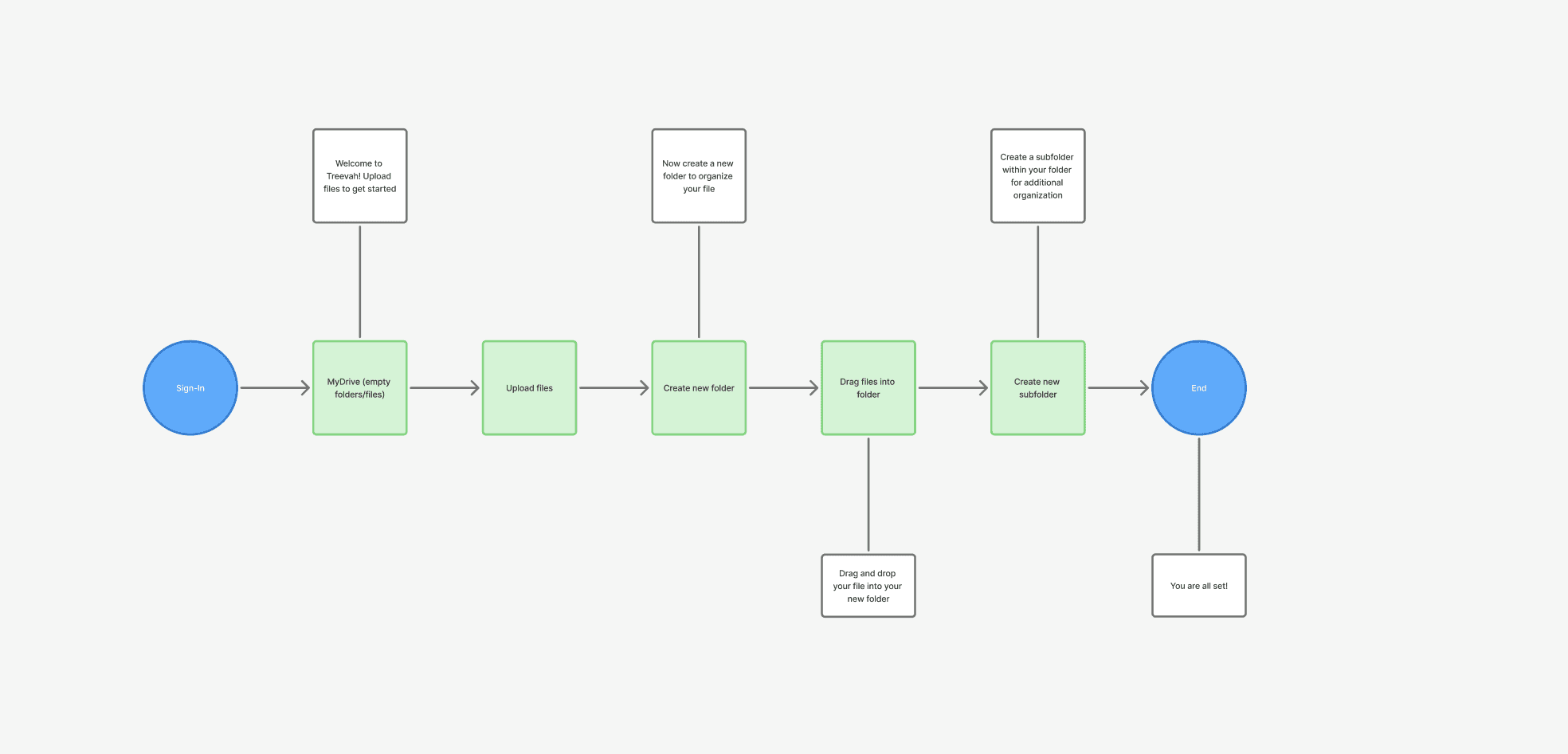
The refined user flow focused exclusively on core file management tasks.
User interviews & testing
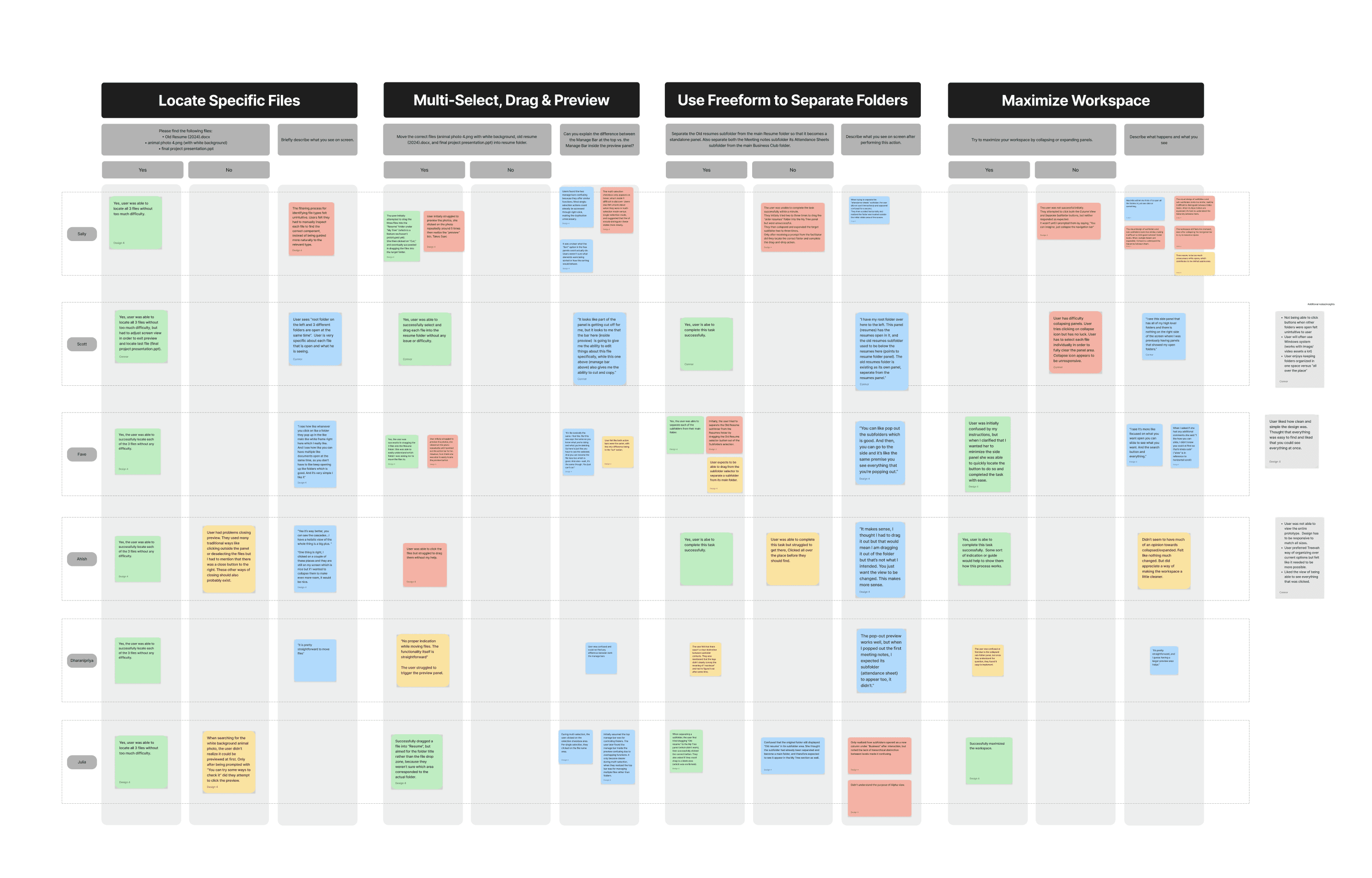
To validate our 3-panel redesign, I conducted moderated usability testing with participants across a range of file management experience levels. Each session walked users through four core tasks: locating specific files, multi-selecting and dragging items, using freeform view to separate folders, and maximizing their workspace through panel controls.
Scott, one of our test participants, was largely able to complete each task but surfaced meaningful friction points along the way. He navigated the folder structure using the sort panel on the left, though he noted uncertainty around how to identify specific asset types within results. During the freeform task, he flagged that folder targets felt too far apart spatially, which caused the Business Club subfolder to visually separate from its parent folder in a way that felt unresolved.
The maximize workspace task initially confused him, he wasn't sure which panel element triggered the collapse behavior — but once he understood the interaction model he was able to complete it without further issues.
These findings pointed to two clear opportunities: tightening the spatial relationships between folders in freeform view, and making the panel collapse affordance more immediately discoverable.